RichMemo/Samples
Tabs
Tabs are used to organize the text in table-like layout. This would not be a real layout table, but will make the text (if it's short enough) to look table alike.
Basics
In order for tabs to work the text should be split tab character (#9)
This is how the text would look like if no tab separation is used:
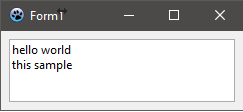
  RichMemo1.Lines.Add('hello world');
  RichMemo1.Lines.Add('this sample');
If the words are split by Tabs, then the control tries to find the next proper tab offset in order:
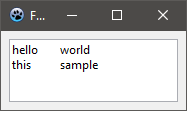
  RichMemo1.Lines.Add('hello'#9'world');
  RichMemo1.Lines.Add('this'+#9+'sample');
Tab Offsets
The length of tab offsets can be controlled using GetParaTabs and SetParaTabs methods.
var
  st : TTabStopList;
  i  : integer;
begin

  RichMemo1.GetParaTabs(0, st); // getting the current tabs
  st.Count:=8;
  SetLength(st.Tabs, st.Count);
  for i:=0 to length(st.Tabs)-1 do
    st.Tabs[i].Offset:=i*72;
  RichMemo1.SetParaTabs(-1,-1,st); // assigning tabs stops

  // assigning text with tabs (#9)
  RichMemo1.Lines.Add('hello'#9'world'#9'to'#9'columns');
  RichMemo1.Lines.Add('does'#9'it'#9'look'#9'good'#9'?');
  RichMemo1.Lines.Add('tab'+#9+'is'+#9+'character'+#9+'9');
end;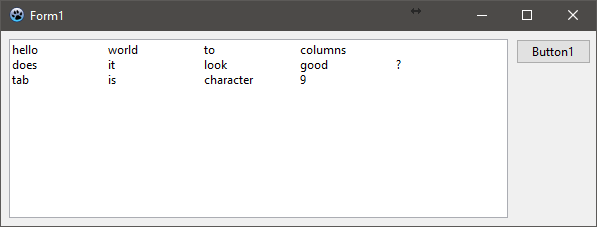
See Also
From the Free Pascal wiki, page "RichMemo/Samples", as it stood on 2021-06-28 after a change by Skalogryz, out of the wiki's dump of 2024-05-26. Copyright stays with the author who wrote it, according to the old wiki's Licensing page. If you have concerns about this material, message the admin.