IDE Window: Codetools Directory Values
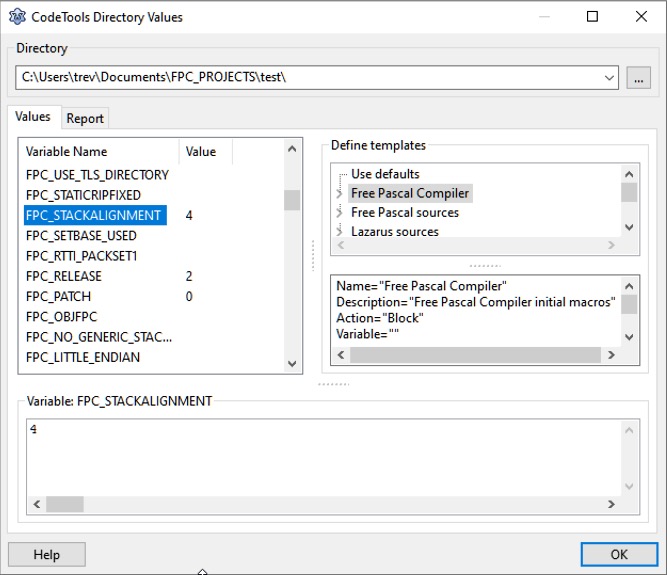
The CodeTools Directory Values dialog is reached from the Main Menu > Source > Unit Information - Show CodeTools Values button.
This dialog shows the codetools values for a specific directory and how the values were created.
At the top is the combobox to select a directory.
At the left, in the middle, is a list of variables and values.
At the right are the nodes and below are the current values of the selected node.
From the Free Pascal wiki, page "IDE Window: Codetools Directory Values", as it stood on 2021-02-01 after a change by Trev, out of the wiki's dump of 2024-05-26. Copyright stays with the author who wrote it, according to the old wiki's Licensing page. If you have concerns about this material, message the admin.