ATFlatToolbar
About
ATFlatToolbar is component which creates row of ATButton's on it, this looks like toolbar.
It don't support creating toolbar in IDE design time. You need to call methods:
- AddButton: to add usual button (with caption or not)
- AddDropdown: to add button with attached drop-down menu
- AddChoice: to add button which acts like a combobox, with Items and ItemIndex
- AddSep: to add button which looks like "|" separator line
- UpdateControls: this updates buttons placement, you must call it after changes (also after ImageList size is changed)
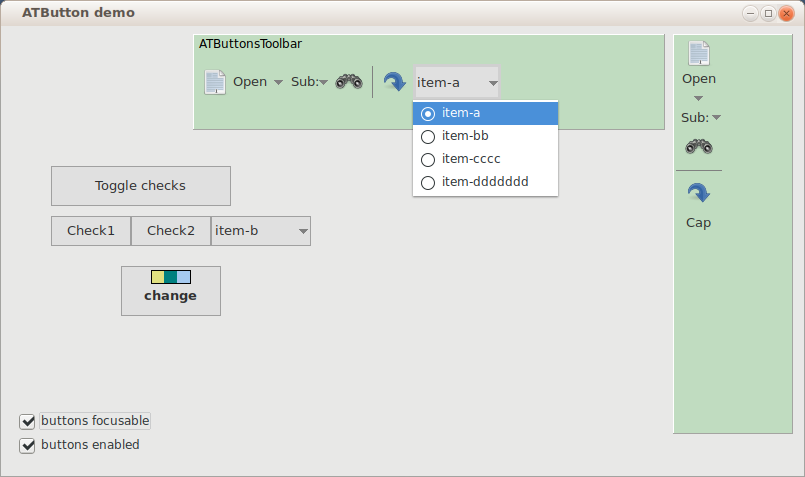
- Use props ButtonCount and Buttons[i] to get ATButton's from component.
- Use Buttons[i].Free to delete buttons.
- Use prop Vertical for make vertical layout.
Author: Alexey Torgashin
License
MPL 2.0 or LGPL.
Download
GitHub page: https://github.com/Alexey-T/ATFlatControls
From the Free Pascal wiki, page "ATFlatToolbar", as it stood on 2021-12-16 after a change by Alextp, out of the wiki's dump of 2024-05-26. Copyright stays with the author who wrote it, according to the old wiki's Licensing page. If you have concerns about this material, message the admin.